Code Explainer Shorts Maker
Turn a programming concept into a 9:16 Short built from real, syntax-highlighted code cards — not a cropped screen recording. Every scene stays editable until the moment you publish.
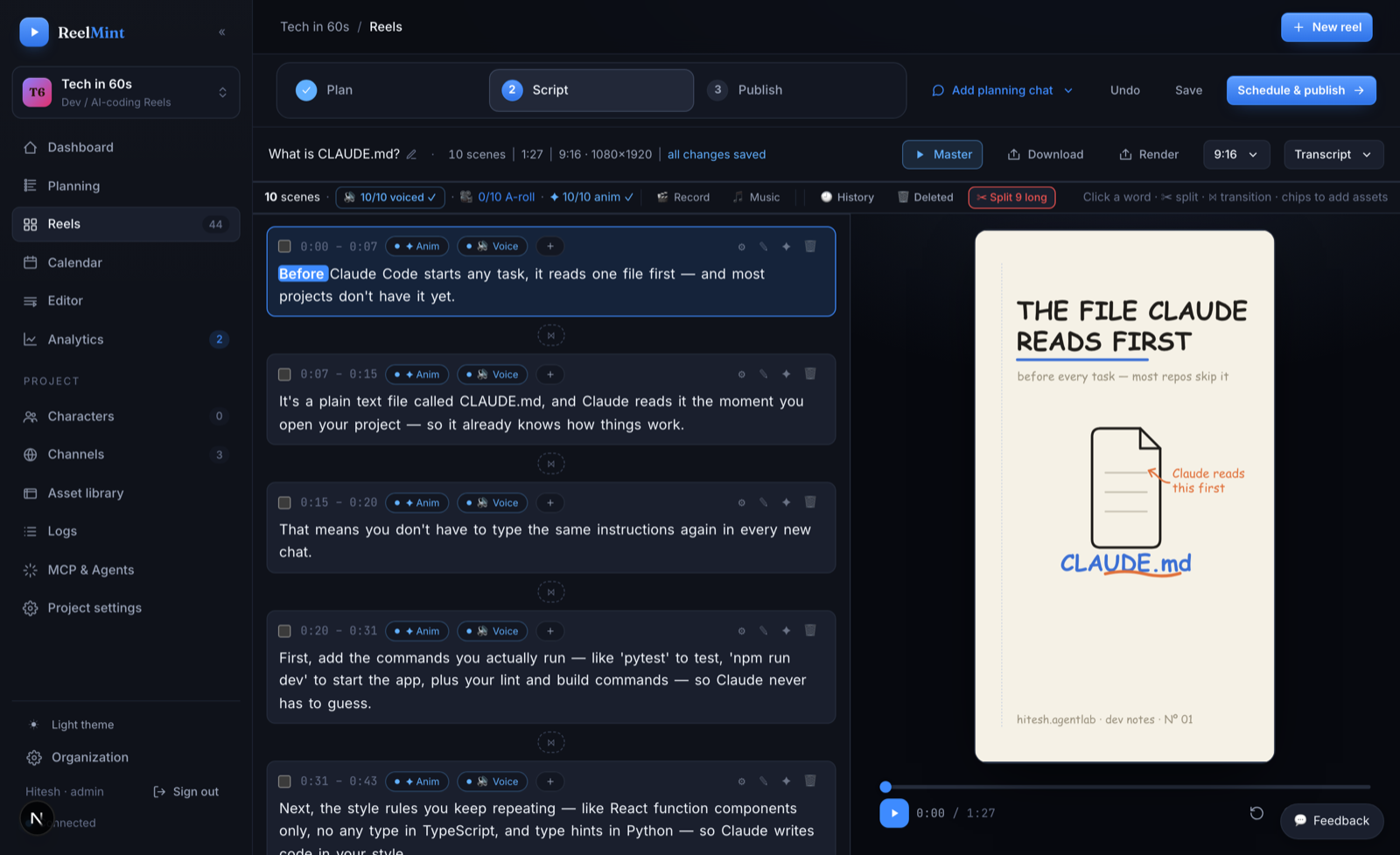
From concept to published Short
Four steps, one studio — no exporting between tools.
What you get
Built for explaining code on a phone screen, end to end.
Syntax-highlighted snippets sized for a 9:16 screen, so a for-loop is legible at arm's length — no squinting at a full-width IDE crammed into a vertical frame.
Terminals, diagrams, bar and line charts, PR cards, timelines. Compose an explainer from parts, layer them, and reuse the structure on your next Short.
Spot a typo in a snippet after the voiceover exists? Edit the card and re-render. Scenes are layered objects you can reopen anytime, not exported frames.
Recorded narration is transcribed by a local Whisper model with word timestamps — trim by word, auto-detect filler words, and remove silences from the transcript.
Bring your own Gemini, OpenAI, or ElevenLabs keys, stored encrypted. You pay the providers directly — no credits system, no markup on top.
The founding-creator pilot is free, needs no credit card, and never stamps a logo on your video.
Common questions
Do I need to record my screen?
No. Code is rendered as motion components — you paste or type the snippet and the studio animates it as a scene. If you prefer a live take, a built-in screen and camera recorder is there too.
Can I change the code after the scenes are generated?
Yes. Scenes are layered, editable objects — text, code, colors, and timing stay adjustable. Edit the snippet and re-render; you never start over.
How does narration stay in sync when I edit a scene?
Voice-sync is automatic: each scene's duration follows its narration. Change the script line, regenerate the read, and the scene timing follows.
What does a code explainer Short cost to make?
Your first 5 videos are free on ReelMint's own keys, no card. After that, generation runs on your own API keys, billed by the provider with zero markup — there is no credits system.
Can I make explainers in languages other than English?
Yes — 8+ languages including Hindi, Spanish, French, German, Portuguese, Japanese, and Arabic, plus code-switched Hinglish with clean romanized captions.
Can an AI agent make these for me?
Yes. ReelMint ships an MCP server, so Claude Desktop, Claude Code, or Cursor can drive the whole pipeline — script, scenes, render, publish — under your review.
Other things ReelMint makes
Point ReelMint at your project's README and get a script grounded in what the project actually does — then editable scenes: the install command as an animated terminal, the API example as a code card, the architecture as a diagram.
Terminal Demo Video MakerShow a CLI the way it deserves: typed-command animations in a clean terminal component, with monospace type sized for phones — not a desktop screen capture squinted at on a 6-inch screen.
Hinglish Tech Shorts — code-switched narration that actually worksRecord the way you actually teach — Hindi and English in the same sentence, npm and useEffect mid-flow — and get clean, romanized captions aligned word by word. This is the pipeline mainstream tools garble.
Animated Chart Video MakerBar and line charts that grow on screen, driven by your data — real motion components, not a screen recording of a spreadsheet and not a baked animation you can never touch again.
Changelog & Release-Notes Video MakerTurn release notes into a Short people actually watch: PR cards for the headline changes, code cards for the new API, a timeline for what shipped — published to YouTube or Instagram Reels on release day, on schedule.
Explain one concept this week
Free pilot, no credit card, no watermarks. Bring one topic and publish a Short from it.
Start free — no credit card